Showing posts fromNotes
Depois das férias....
- 02 Aug, 2007
Depois de um pequeno descanso, voltamos com os projetos e a vida "normal".
Olhando as notÃcias sobre a tecnologia IBM uma novidade que está muito próxima: Notes & Domino 8
Li no blog do Edbrill (www.edbrill.com) que a versão em Japonês sai já na primeira quinzena de Setembro.
Portanto podemos esperar a nova versão já agora em Agosto.
Muito bom pois o Notes 8 está nota 1000 com muitas novidades... boas.
Sobre o fix pack do portal que não conseguimos instalar... ainda não foi solucionado. Contornamos a situação mas
voltaremos a enfrentar o problema nos próximos dias..
How to install IBM Notes 9.0.1 FP7 on Ubuntu 16.04 LTS 64 bits
- 13 Nov, 2016
Prepare the packages for installation 1 - Download the image CIQ7TEN from Passport Advantage this is the Debian install for IBM Notes 9.0.1 and also the FP7 from fix central 2 - Expand the downloaded file using tar -xvf command 3 - Open the package bm-notes-9.0.1.i586.deb to be edited using the commands bellow dpkg-deb -x ibm-notes-9.0.1.i586.deb common dpkg-deb --control ibm-notes-9.0.1.i586.deb 4 - Edit the control file, inside of the folder DEBIAN and change the Pre-depends section : Pre-Depends: gdb:i386 | gdb:amd64, coreutils:i386 | coreutils:amd64, unzip:i386 | unzip:amd64, bash:i386 | bash:amd64, procps:i386 | procps:amd64, grep:i386 | grep:amd64, sed:i386 | sed:amd64, libart-2.
How to install IBM Notes 9.0.1 FP7 on Ubuntu 16.04 LTS 64 bitsRead MoreIBM Notes 9.0.1 will support macOS Sierra?
- 15 Sep, 2016
MacOS Sierra will be available on 20 September for the general public. I search yesterday and today on the system requirements for Notes on MAC and i not found any information. Anyone knows if the current version of Notes for MAC will run on Sierra?
IBM Notes 9.0.1 will support macOS Sierra?Read MoreIntegrando o Notes 8 com MS Office
- 25 Nov, 2008
Por muitas vezes temos de enviar documentos do MS Office por e-email. Se a estação tem o Notes como cliente de correio como fazer?
Para integrar precisamos de seguir os seguintes passos:
1 - Se o Notes foi instalado depois do Office (com outllook) não é necessário realizar o passo 2
2 - Remover o Lotus Notes e instalar o Office com outlook, eu usei para testes o MS Office 2003 em Português
3 - Instalar o conector do outlook para Lotus Notes. O download(http://www.microsoft.com/downloads/details.aspx?familyid=8ebbba59-5f17-4e52-8980-c4f0dfa92d65&displaylang=en "http://www.microsoft.com/downloads/details.aspx?familyid=8ebbba59-5f17-4e52-8980-c4f0dfa92d65&displaylang=en") é
Keyboard shortcut (cmd + M) not working on Notes 9.0.1 64 for MAC
- 17 May, 2016
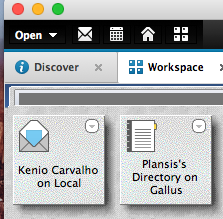
I use the cmd + M keyboard shortcut every time i need to create a new memo on my IBM Notes. Yesterday this keyboard stopped working. I looked at the status bar while pressing cmd +m and saw he message : "You must first add your mail file mail/kcarvalho.nsf to the workspace". !Screen Shot 2016-05-17 at 20.29.09(http://www.mysphere.com.br/wp-content/uploads/2016/05/Screen-Shot-2016-05-17-at-20.29.09.png) But my mail box icon was on the workspace. !Screen Shot 2016-05-17 at 20.30.41(http://www.mysphere.com.br/wp-content/uploads/2016/05/Screen-Shot-2016-05-17-at-20.30.41.png)The solu tion: Yesterday i moved my mail box from mail folder to mail2 folder and add the icon to the workspace, but
Keyboard shortcut (cmd + M) not working on Notes 9.0.1 64 for MACRead More
The)
Lotus Notes 8
- 14 Aug, 2007
Notes & Domino 8 já estarão disponÃveis a partir do dia 17 de Agosto !
Veja aqui a carta de anúncio(http://www-306.ibm.com/common/ssi/OIX.wss?DocURL=http://d03xhttpcl001g.boulder.ibm.com/common/ssi/repca/7/897/ENUS207-187/index.html&InfoType=AN&InfoSubTypeÊ&InfoDesc=Announcement+Letters&panelurl=OIX.wss%3Fbuttonpressed%3DDET003PT011%26hfdd%3D%26hfud%25 "http://www-306.ibm.com/common/ssi/OIX.wss?DocURL=http://d03xhttpcl001g.boulder.ibm.com/common/ssi/repca/7/897/ENUS207-187/index.html&InfoType=AN&InfoSubTypeÊ&InfoDesc=Announcement+Letters&panelurl=OIX.wss%3Fbuttonpressed%3DDET003PT011%26hfdd%3D%26hfud%")
Lotus Notes & Domino 8
- 18 Aug, 2007
Depois de fazer o download do Notes 8 e receber um monte de informações sobre o produto estou colocando aqui o que mais me chamou a atenção até agora.
1 - O Notes 8 está nota dez. O visual e os novos recursos na caixa posta e agenda são ótimos
2 - Existem agora produtos que os usuários podem usar com a compra de liçenças do Domino tais como DB2, WebsPhere Portal, WebSphere, Directory Integrator
3 - As ferramentas de produtividade geram pdf e arquivos com o padrão Open Document.
Links interessantes:
Para saber das novidades do Notes mais rapidamente utilize este link http://www.ibm.com/developerworks/lotus/notes/. O conteúdo está em inglês mas é muito bom
para s
Notes & Domino 8
- 25 Nov, 2007
!Image:Notes & Domino 8(http://platao.plansis.com.br/blogkenio.nsf/dx/Notes-Domino-8/content/M2?OpenElement) Link para um dos vÃdeos da campanha da IBM no YouTube http://www.youtube.com/watch?v=vnY\9OGT\6s(http://www.youtube.com/watch?v=vnY9OGT6s)
Notes & Domino 8Read MoreProud to be an HCL Ambassador 2021
- 15 Dec, 2020
If you have a problem, and no-one else can help, and if you can find them, maybe you can ask an HCL Ambassador… !(http://www.mysphere.com.br/wp-content/uploads/2020/12/HCLAmbassaborlight4x.png) See the HCL Ambassadors Class of 2021(https://hcltechsw.com/about/hcl-ambassadors/class-of-2021)
Proud to be an HCL Ambassador 2021Read More
Trocando as cores de mensagens não lidas
- 01 Jun, 2009
Hoje iniciamos os testes para homologação do Notes 8.5 em alguns poucos usuários de TI. Envolve homologar o Notes 8.5 e também o iNotes.
Duas perguntas "básicas" já foram feitas:
1 - Como mostrar a barra de seleção de documentos.
Resposta: Esta configuração pode ser realizada marcando uma porpriedade em File -> Preferences -> Basic Client Notes Configuration -> Show check marks in margin for selected documents.
2 - Mensagens não lidas aparecem em PRETO BOLD como fazer para elas ficarem RED ?
Este já é mais complicado porquê tem de alterar o tema do Notes. Como fazer veja este TN(http://www-01.ibm.com/support/docview.wss?rs=475&context=SSKTWP&context=SSKTMJ&context=SSRNU
Writing status bar history to a log file
- 05 May, 2016
You can use the NOTES.INI setting LOGSTATUSBAR=1 to enable logging of status bar messages to the local log file, LOG.NSF. To view the logged messages, open the file, LOG.NSF, and then click the Miscellaneous Events view. Status bar messages are appended with "Status Msg." To write the status bar messages to an external file, use the NOTES.INI setting Debug\Outfile= with the NOTES.INI setting LOGSTATUSBAR=1. For example: LOGSTATUSBAR=1 DebugOutfile=c:\temp\StatusBarLogging.txt
Writing status bar history to a log fileRead More